Best IPTV Players in 2026: Top Apps for Smart TVs, Firestick and Android TV
Choosing an IPTV service is only the first step in setting up your streaming ecosystem. Once you have an authorized subscription, you need a way to organize and play those streams on your television.
The software you use to watch your channels is called an IPTV player. The exact same RealmIPTV service subscription can feel like a totally different experience depending entirely on which player you use.
A high-quality player can provide vastly better navigation, an accurate EPG (Electronic Program Guide), easier channel switching, VOD (Video on Demand) browsing, favorites management, support for multiple playlists, and advanced playback features like picture-in-picture.
However, it is vital to make one distinction clear: an IPTV player does not automatically provide channels. Users must supply their own compatible and authorized IPTV source to watch anything.
In this guide, we will compare the best IPTV players available in 2026 and help you find the perfect application for your home setup.
Experience REALM IPTV
Upgrade your entertainment with ultra-stable, anti-freeze streaming. Access premium live channels, sports, and VOD on all your favorite devices.
Quick Answer: What Are the Best IPTV Players in 2026?
If you want the short version, here are the most popular choices broken down by category:
- TiviMate — Best for Firestick and Android TV
- IPTV Smarters Pro — Best cross-platform option
- GSE Smart IPTV — Strong choice for iPhone/iPad and Apple devices
- IBO Player — Good choice for compatible Smart TVs
- XCIPTV — Feature-rich Android/Fire TV option
- Perfect Player — Lightweight option for Android/older hardware
- Kodi — Best for advanced customization
- VLC — Useful for simple playback/testing
Note: These are category recommendations, not absolute universal rankings. Features and platform availability frequently change as applications update.
What Is an IPTV Player?
An IPTV player is an application (software) that allows users to load and play IPTV streams.
When you purchase an IPTV subscription, the provider gives you a URL (like an M3U link) or login credentials (like Xtream-style codes). The IPTV player is the empty shell that reads those credentials and displays the streams in a user-friendly interface.
Good players organize live TV, VOD, series, EPG data, favorites, and categories, making the experience feel just like traditional cable television.
Best IPTV players in 2026 for Smart TV Firestick and Android TV
IPTV Player vs IPTV Service: What Is the Difference?
Understanding this difference is crucial for troubleshooting your setup.
| IPTV Player | IPTV Service |
|---|---|
| Application/software | Content/service provider |
| Plays supplied streams | Provides authorized access/content |
| Organizes channels | Supplies channels/content |
| May support EPG | May provide EPG data |
| Usually does not include channels | Provides the content access |
The general flow of your setup looks like this: IPTV service → credentials/playlist → IPTV player → device → screen.
How to Choose the Best IPTV Player
When comparing players, consider the following criteria:
- Device compatibility: Does the app work natively on your Smart TV or streaming stick?
- IPTV login/playlist support: Does the player accept M3U URLs or Xtream Codes?
- EPG quality: How fast does the program guide load, and is it easy to read?
- Playback performance: Does it support hardware decoding for 4K streams?
- Interface: Is it easy to navigate with a standard remote control?
- VOD organization: Does it present movies and series clearly with posters and descriptions?
- Multiple playlists: Can you load backup subscriptions simultaneously?
- Recording and Catch-up: Does the player support DVR functionality if your provider offers it?
- Multi-screen features: Can you watch multiple sports games at once?
- Parental controls: Can you lock specific categories?
- Price: Is there a one-time fee or a recurring subscription?
- Support and updates: Is the developer actively fixing bugs?
Not every player supports every feature, so choose one that aligns with your specific viewing habits.
IPTV Player Comparison Table
Here is a look at the most popular options available in 2026. Always verify current platform availability on official app stores, as this can change.
| IPTV Player | Best For | Main Platforms | M3U | Xtream Codes | EPG | Free/Paid |
|---|---|---|---|---|---|---|
| TiviMate | TV interfaces | Android TV, Fire OS | Yes | Yes | Yes | Free / Premium |
| IPTV Smarters Pro | Cross-platform | Android, iOS, Windows, Smart TV | Yes | Yes | Yes | Free / Premium |
| GSE Smart IPTV | Apple devices | iOS, tvOS, macOS, Android | Yes | Yes | Yes | Free / Premium |
| IBO Player | Smart TVs | Samsung (Tizen), LG (webOS) | Yes | Yes | Yes | Paid (activation) |
| XCIPTV | Android devices | Android, Fire OS | Yes | Yes | Yes | Free / Premium |
| Perfect Player | Older hardware | Android, Windows | Yes | No | Yes | Free / Premium |
| Kodi | Customization | Windows, Mac, Linux, Android | Yes | Requires Add-on | Yes | Free |
| VLC | Testing | Windows, Mac, Linux, Mobile | Yes | No | No | Free |
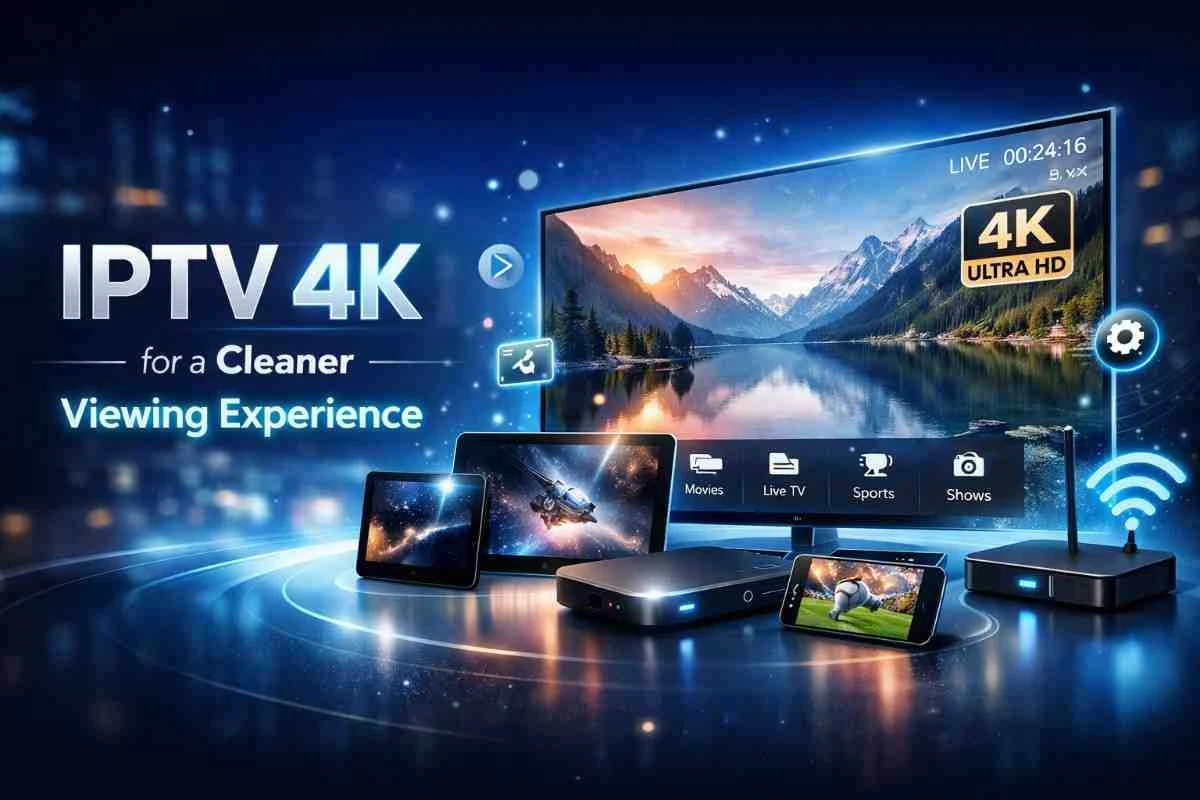 Comparison of IPTV player apps and their features
1. TiviMate — Best for Firestick and Android TV
TiviMate is widely considered the gold standard for users running Android TV boxes or Amazon Firesticks. It is designed specifically for television screens and remote controls.
The interface looks incredibly modern and feels exactly like a premium cable box. It offers a fantastic EPG layout, excellent favorites management, support for multiple playlists, recording, catch-up, and multi-view (allowing you to watch up to four streams simultaneously on supported hardware).
Limitations: TiviMate is essentially limited to Android-based platforms (Android TV, Google TV, Fire OS). Additionally, while there is a free version, almost all of the advanced features (like favorites and catch-up) require unlocking the Premium tier.
Note: While TiviMate is excellent software, it cannot fix a poor IPTV source or unstable internet connection.
2. IPTV Smarters Pro — Best Cross-Platform Option
IPTV Smarters Pro is arguably the most famous player globally because of its sheer flexibility. It has a highly beginner-friendly interface that clearly separates Live TV, Movies (VOD), and Series into massive, easily clickable tiles.
Its main advantage is cross-platform flexibility. You can run Smarters on Android, iOS, Windows, and even natively on some Smart TVs. It natively supports M3U playlists and the highly popular Xtream-style login method.
Note: The exact app name, availability, and features often differ slightly between the Google Play Store, Apple App Store, and Smart TV stores.
3. GSE Smart IPTV — Strong Choice for Apple and Mobile Users
While TiviMate dominates Android, GSE Smart IPTV has long been a strong choice for the Apple ecosystem. It is available on iPhone, iPad, and Apple TV (where supported), as well as Android.
It handles M3U playlists excellently, provides a solid EPG experience, supports multiple playlists, and includes casting features to push streams to a larger screen. It is heavily recommended for users who primarily consume content on mobile devices or tablets.
Experience REALM IPTV
Upgrade your entertainment with ultra-stable, anti-freeze streaming. Access premium live channels, sports, and VOD on all your favorite devices.
4. IBO Player — Simple Option for Compatible Smart TVs
If you own a Samsung Smart TV (Tizen) or an LG Smart TV (webOS) and you do not want to buy an external streaming stick, IBO Player is often natively available in the TV's built-in app store.
It offers a very simple interface and relies on a playlist-based setup. Usually, you upload your playlist via a web browser using the TV's MAC address.
Note: Platform availability and activation terms can vary greatly. IBO Player typically requires a small, one-time or annual activation fee after a short trial period.
5. XCIPTV — Feature-Rich Android and Fire TV Option
XCIPTV is a massive competitor to TiviMate on Android and Fire TV platforms. It offers a very stylized, colorful interface with an excellent built-in media player engine.
It handles EPG data exceptionally well, offers great VOD categorization, and includes multiple playback features natively. If you find TiviMate's interface a bit too rigid, XCIPTV is a fantastic alternative to consider.
6. Perfect Player — Lightweight Option
Perfect Player features a highly minimal, slightly older-looking interface, but this is actually its greatest strength.
Available on Android and Android TV, it is incredibly lightweight. It processes M3U playlists and XMLTV EPG data very efficiently without consuming massive amounts of RAM. This makes it perfect for older, underpowered Android boxes that might crash when trying to run heavier applications.
7. Kodi — Best for Advanced Customization
Kodi is not a dedicated IPTV application; it is a full open-source media center ecosystem available across almost every major platform.
You can integrate IPTV into Kodi using the built-in PVR IPTV Simple Client add-on. Because Kodi is open source, the customization options are literally endless. However, the setup process is much more complicated for beginners compared to apps like Smarters.
8. VLC — Best for Simple Playback and Testing
VLC is the world's most famous general media player. While it lacks a TV-oriented interface and does not have an EPG, it is incredibly useful for testing.
If you want to quickly test an M3U playlist to verify that an IPTV stream works on your computer, simply dragging and dropping the file into VLC is the fastest way to confirm your RealmIPTV service is active before setting up your main television.
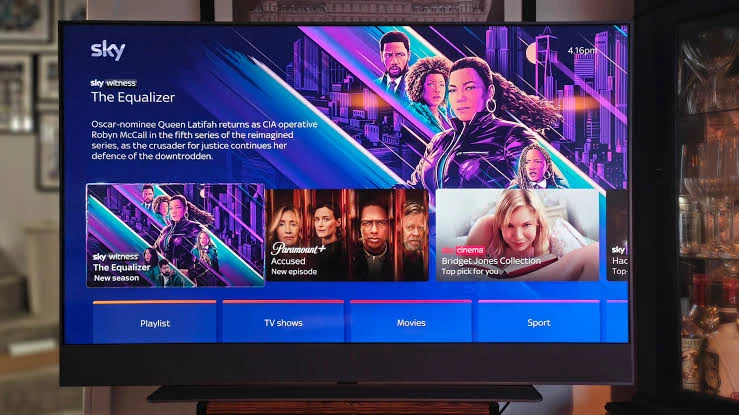 IPTV players for Smart TV Firestick Android TV phones and computers
Best IPTV Player by Device in 2026
If you are unsure where to start, here are our recommended options based entirely on the hardware you own:
| Device | Recommended Option | Alternative |
|---|---|---|
| Firestick | TiviMate | IPTV Smarters Pro |
| Android TV | TiviMate | XCIPTV / Smarters |
| Samsung Smart TV | IBO Player / compatible native option | Other supported player |
| LG Smart TV | IBO Player / compatible native option | Other supported player |
| iPhone/iPad | GSE Smart IPTV / Smarters | Other compatible player |
| Android Phone | Smarters / GSE | XCIPTV |
| Windows | VLC / compatible IPTV player | Kodi |
| Mac | VLC / compatible IPTV player | Kodi |
Always verify actual platform availability in your region's app store before finalizing your setup.
Best IPTV Player Based on Your Needs
- Best for beginners: IPTV Smarters Pro
- Best for Firestick: TiviMate
- Best for Android TV: TiviMate
- Best for Smart TV: IBO Player or compatible native application
- Best for Apple/mobile users: GSE Smart IPTV / IPTV Smarters Pro
- Best for customization: Kodi
- Best for simple testing: VLC
Free vs Paid IPTV Players: Which Should You Choose?
Free players are usually sufficient for basic channel surfing and live television playback.
However, paid or premium versions of these apps (like TiviMate Premium) unlock essential quality-of-life features. These often include the ability to add multiple playlists, record live television, access advanced EPG layouts, use multi-screen options, and deeply customize the interface.
Do not assume that buying a premium player improves the actual video quality. The player subscription generally affects software features, not the quality or stability of the underlying IPTV source.
Can an IPTV Player Fix Buffering?
Not necessarily. While a highly optimized player with a good built-in video decoder might handle brief network drops better, buffering is almost always caused by:
- Internet instability
- Wi-Fi problems
- Network congestion
- IPTV source/server issues
- Stream bitrate vs available bandwidth
A better player improves usability, but it cannot guarantee that buffering disappears. If you are experiencing playback stuttering, read our complete IPTV buffering guide for practical network fixes.
What Should You Look for in a 4K IPTV Player?
If your subscription includes 4K streams, you need a player with robust hardware decoding capabilities. You also need a highly capable device and a stable network.
Important: A player cannot magically turn a 1080p source into true 4K. A 4K-capable player also does not guarantee 4K playback if the IPTV source or the hardware itself cannot process it. Review our IPTV 4K guide for more details on bandwidth requirements.
IPTV Players That Support M3U Playlists
An M3U playlist is a simple text file format that contains references to media streams. It is the most universal way to connect to an IPTV service. Compatible players (like TiviMate, Smarters, GSE, and VLC) allow users to simply paste this URL to load their channels.
IPTV Players That Support Xtream-Style Login
Many modern users prefer Xtream-style login. Instead of pasting a massive, complicated M3U URL, users simply enter a server/host URL, a username, and a password into the app. Players like Smarters and TiviMate handle this natively, making setup significantly faster on a TV remote.
Which IPTV Players Have the Best EPG Experience?
The Electronic Program Guide (EPG) experience varies wildly between apps.
TiviMate currently offers the most traditional, cable-like EPG layout with incredibly fast loading speeds and smooth navigation. XCIPTV also offers a highly stylized, easy-to-read guide. Keep in mind that a player can only display EPG data if your IPTV provider actually supplies an accurate XMLTV link.
Using RealmIPTV With an IPTV Player
Connecting to RealmIPTV is incredibly simple regardless of which software you prefer.
- Subscribe to an authorized RealmIPTV plan.
- Check your email for your supported login or playlist information.
- Download a compatible IPTV player on your device (check our devices page for recommendations).
- Enter your authorized credentials into the app.
- Wait for the channels and EPG data to load.
- Start streaming your favorite content.
We support industry-standard connection methods, meaning you can use almost any major player featured on this list.
Frequently Asked Questions
Final Thoughts
There is no single IPTV player that is perfectly suited for everyone. The right choice depends heavily on the device you own, your experience level, your EPG needs, whether you prefer M3U or Xtream logins, and whether you require advanced features like recording and multi-screen viewing.
For the absolute best TV experience on Android or Fire OS, TiviMate is hard to beat. For broad cross-platform support and sheer ease of use, IPTV Smarters Pro remains a staple. Apple users will find a comfortable home with GSE Smart IPTV, while Smart TV owners can rely on IBO Player.
Take the time to test a few free versions to see which interface you prefer. Once you have chosen your player, pair it with a reliable, high-quality subscription like RealmIPTV to unlock the ultimate home entertainment experience.