How to Choose the Best IPTV Service in 2026: Complete Buying Guide
There are many IPTV services available today, but choosing the right one should not be based solely on the number of channels they offer, the cheapest price tag, or aggressive marketing claiming "4K" everything. These numbers can be highly deceiving.
Instead, the better approach is to evaluate any IPTV service against several practical criteria. The "best" IPTV service actually depends entirely on your viewing habits, the devices you own, your location, the number of users in your household, your budget, your required content, and your realistic streaming expectations.
In this comprehensive buying guide, we will break down exactly what you should evaluate before committing to any service. As you read, we will also explain why services like RealmIPTV prioritize stability and quality over inflated claims.
Experience REALM IPTV
Upgrade your entertainment with ultra-stable, anti-freeze streaming. Access premium live channels, sports, and VOD on all your favorite devices.
Quick Answer: What Makes the Best IPTV Service?
If you want the short version, the best IPTV service in 2026 will check these boxes. Here is a concise checklist to keep in mind:
- Reliable streaming with minimal buffering during peak hours.
- Good video quality that matches the advertised resolution.
- Compatible devices so you can watch on hardware you already own.
- Useful IPTV player support for apps like Tivimate or Smarters.
- Accurate EPG (Electronic Program Guide) so you know what is playing.
- Relevant channel selection tailored to your actual interests.
- Useful VOD library that is frequently updated.
- Appropriate simultaneous connections for your household size.
- Responsive customer support that actually answers your questions.
- Transparent pricing and cancellation terms without hidden fees.
- Legitimate/authorized content delivery.
- Good overall value balancing price and features.
No single factor determines the absolute best service for everyone. You must evaluate the complete package.
Step 1: Decide What You Actually Need From IPTV
Before comparing any providers, you must define your own needs.
What do you watch?
Do you only need live TV, or are you looking for sports, news, movies, series, international channels, or kids' content? A service might have 50,000 channels, but if it lacks your local news station, it might be useless to you.
How many people will use it?
If you live alone, one connection might be enough. If you have a family, you need a service that allows multiple simultaneous streams.
Which devices do you own?
Will you be watching on a Smart TV, a Firestick, an Apple TV, or a mobile phone?
Do you need HD or 4K?
Does your internet connection even support 4K streaming?
Do you need VOD?
Are you looking for a massive library of on-demand movies, or do you strictly want live television?
Do you need EPG?
Do you rely heavily on a TV guide to plan your viewing?
Do you need multiple simultaneous connections?
If you watch in the living room and someone else watches in the bedroom, you need two connections.
Defining these needs prevents you from paying for features you do not need, or subscribing to a cheap service that lacks the features you actually want.
How to choose the best IPTV service in 2026
Step 2: Prioritize Streaming Stability Over Channel Count
A service boasting hundreds of thousands of channels is completely useless if the streams constantly buffer, freeze, disconnect, or fail entirely during peak viewing hours.
When evaluating a service, stability must be your highest priority. You should test the service during evening hours, weekends, and popular live events (when server load is highest) to see if it holds up.
Streaming stability is a two-way street. It depends on the provider's server infrastructure, but it also heavily depends on your internet speed, your Wi-Fi signal, your device's processing power, the IPTV player you are using, and your network conditions. This is why testing is so important.
Step 3: Check Real Streaming Quality, Not Just "4K" Labels
Look beyond marketing labels such as HD, Full HD, 4K, and Ultra HD. A 4K label alone does not guarantee excellent picture quality.
Perceived video quality also depends heavily on the stream's bitrate, the video codec used, the quality of the original source, your device's ability to decode the video, and your network's stability. A heavily compressed, low-bitrate 4K stream will often look far worse than a high-bitrate 1080p stream.
Step 4: Check Whether the Channel Lineup Matches Your Needs
Do not choose an IPTV provider based solely on having the largest channel count. A massive list of 100,000 channels is incredibly difficult to navigate and often filled with broken links or duplicate streams.
Instead, check if they carry the content that matters to you:
- Channels in your country
- Your preferred languages
- Your required sports networks
- Your favorite news channels
- Entertainment networks you actually watch
- International or local channels
A smaller, highly relevant, and stable lineup is always more valuable than a massive, irrelevant, and unstable one.
Step 5: If You Watch Sports, Test Live Sports Performance
If you are a sports fan, live sports are the best real-world test of an IPTV service's capability.
During a major game, check for channel availability, stream stability under high server load, the availability of HD or 4K streams (where legitimately offered), audio and video synchronization, and how fast the channels switch. A service that performs well during a massive live sports event is generally a highly reliable service.
Step 6: Evaluate the VOD Library
If Video on Demand (VOD) matters to you, evaluate the provider's library. Check if they have a good selection of movies and series.
More importantly, check the organization. Is the library categorized logically? Can you search for specific titles? Is there a section for recently added content? Check the playback quality of a few titles to ensure the VOD servers are fast and reliable.
Experience REALM IPTV
Upgrade your entertainment with ultra-stable, anti-freeze streaming. Access premium live channels, sports, and VOD on all your favorite devices.
Step 7: Check EPG Quality and Accuracy
An Electronic Program Guide (EPG) is essential if you want a traditional television experience. A useful EPG makes it easy to understand current programs, upcoming programs, channel schedules, and program times.
When testing a service, check for missing listings, incorrect times, wrong time zones, outdated information, or channel-to-program mismatches. Keep in mind that EPG quality depends on both the underlying guide data provided by the service and your chosen IPTV player's compatibility with that data.
 Testing IPTV service quality before subscribing
Step 8: Make Sure the IPTV Service Works on Your Devices
The best service in the world is useless if you cannot watch it on your TV. Verify that the provider supports the hardware you own, whether that includes Smart TVs, Firestick, Fire TV, Android TV boxes, Android phones, iPhone, iPad, tablets, or computers.
Compatibility depends on both the IPTV service and the available IPTV player applications. A service may provide a playlist that works through compatible third-party players (like Tivimate or Smarters) rather than requiring a dedicated native application.
Step 9: Check IPTV Player Compatibility
Check how the service connects. Common connection methods include M3U playlists, Xtream-style login credentials, or other supported authentication methods.
Player compatibility matters because some players offer much better interfaces, faster channel zapping, and better EPG integration than others. Check whether the service provides clear setup instructions for connecting your preferred player to their servers.
Step 10: Check How Many Simultaneous Connections You Need
There is a major difference between the number of supported devices, the number of registered devices, and the number of simultaneous streams.
A service might allow you to install their app on five different televisions in your house, but if your subscription only allows for one simultaneous connection, you can only watch on one television at a time. If you try to watch on two TVs simultaneously, the stream will cut out. Always read the actual subscription terms and purchase a plan with enough simultaneous connections for your household.
Step 11: Check Your Internet Connection
The best IPTV service cannot compensate for an unstable home network. Your download speed, Wi-Fi signal quality, latency, packet loss, and network congestion all play a huge role in your streaming experience.
For standard HD streaming, a stable 15-25 Mbps is generally required. For Full HD or 4K streaming, a rock-solid 30-50+ Mbps connection is recommended. If you have multiple simultaneous streams running in your house, you will need proportionally more bandwidth. We highly recommend using a wired Ethernet connection for your primary streaming device.
 IPTV service compatibility with Smart TV Firestick Android TV and other devices
Step 12: Evaluate Customer Support Before You Subscribe
Good support should provide clear, fast help with login problems, setup guides, device compatibility, playlist issues, EPG problems, billing, and account questions.
Test the support before paying if possible. Ask a simple technical question and evaluate their response time, the clarity of their answer, their professionalism, and their availability. A service that ignores you before they have your money will certainly ignore you after.
Step 13: Look Beyond the Advertised Price
When looking at pricing, look beyond the cheapest advertised monthly rate.
Check the full subscription price, the billing period, renewal terms, trial pricing, the refund policy, the cancellation process, any additional costs for extra connections, and whether there are taxes or fees. Pricing transparency is a strong indicator of a trustworthy provider.
Step 14: Test Before Committing When Possible
A legitimate trial is the best way to evaluate streaming quality, device compatibility, EPG accuracy, channel selection, VOD libraries, and customer support.
However, a "free trial" is not automatically a guarantee of quality. You should always read the terms before providing any payment information. Consumer protection agencies recommend checking the terms, understanding cancellation conditions, and watching for unexpected recurring charges in any free-trial offer.
Step 15: Read the Refund and Cancellation Policy
Before you subscribe, you should know exactly whether refunds are available, what the refund eligibility criteria are, the exact cancellation procedure, the subscription duration, the renewal conditions, and what happens to your account after cancellation. Never assume a refund exists without reading the policy first.
Step 16: Pay Attention to Privacy and Account Security
Take basic precautions with your privacy and account security. Use a unique password for your IPTV account. Avoid sharing your credentials with others.
Check what information the service requests, use secure payment methods, avoid sending unnecessary personal information, and read the privacy policy if one is available.
IPTV Red Flags to Watch Out For
While evaluating services, watch for these common red flags:
- Unrealistic promises (like "Zero Buffering Guaranteed Forever")
- High pressure to pay immediately
- No clear terms of service
- Hidden recurring charges
- No clear cancellation information
- Poor or non-existent communication
- Suspicious payment requests
- Requests for unnecessary sensitive information
- Fake-looking, overly enthusiastic reviews
- Constantly changing domains or contact information
No single red flag proves a service is fraudulent, but several together deserve caution. The FTC advises consumers to research companies, check terms, avoid pressure tactics, and be cautious about unexpected requests for personal or financial information.
Is the Cheapest IPTV Service the Best?
Cheap does not automatically mean bad, but expensive does not automatically mean better.
You should evaluate a service based on its overall value. Value is the combination of quality, reliability, compatibility, features, support, and transparent terms. A slightly more expensive service that works flawlessly is a vastly better value than a dirt-cheap service that buffers constantly.
IPTV Service Comparison Scorecard
Use this practical scorecard when comparing providers:
| Category | What to Check | Importance |
|---|---|---|
| Reliability | Stable playback during peak hours | Very High |
| Video Quality | Real HD/4K performance | High |
| Device Compatibility | Works on your devices | Very High |
| IPTV Player | M3U/Xtream/player support | High |
| EPG | Accurate program guide | Medium/High |
| Channels | Relevant channels you watch | High |
| VOD | Useful library if needed | Medium |
| Connections | Enough simultaneous streams | High |
| Support | Fast and useful assistance | High |
| Pricing | Clear total cost | High |
| Refunds | Clear cancellation/refund terms | High |
| Security | Sensible account/payment practices | High |
How to Test an IPTV Service Before Buying
When you activate a trial or a short-term plan, use this checklist:
Test 1: Check your favorite channels
Do they load quickly and play smoothly?
Test 2: Test during peak hours
Watch during the evening or on a weekend to test server load.
Test 3: Test live sports if relevant
Does the stream hold up during a major game?
Test 4: Test HD/4K if relevant
Does your device and internet handle the higher bitrate?
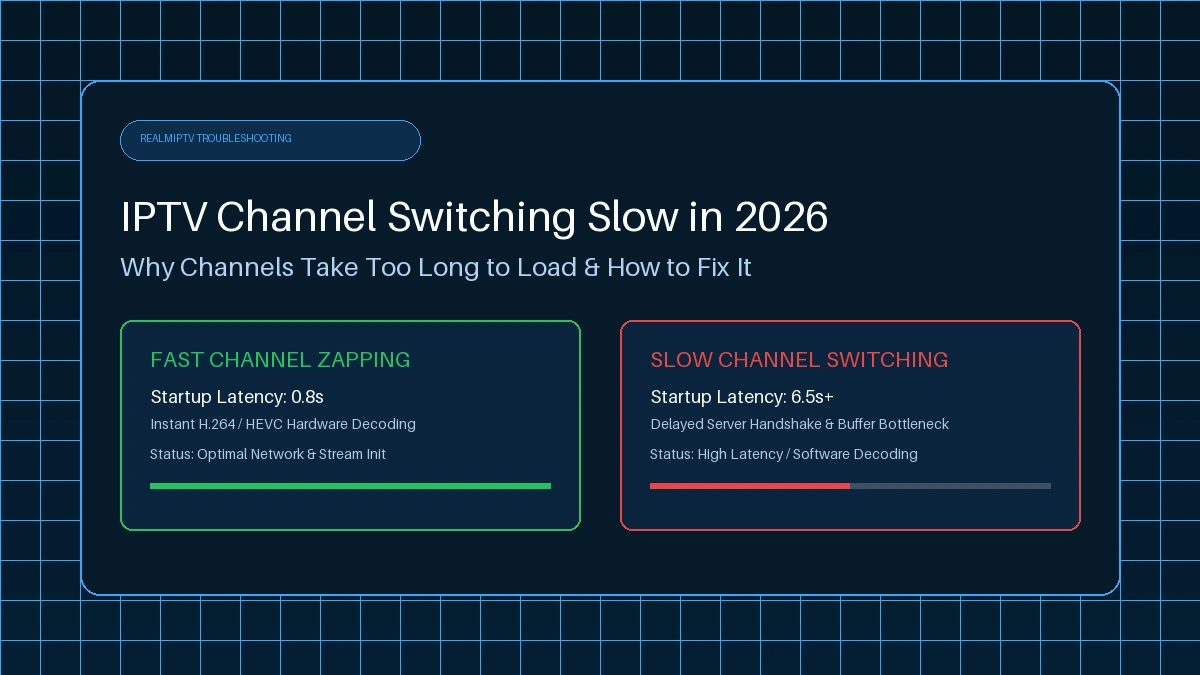
Test 5: Test channel switching
How fast can you zap between different channels?
Test 6: Test EPG
Is the guide accurate and synced properly?
Test 7: Test VOD
Do movies load and play without stuttering?
Test 8: Test your main device
Does the service work perfectly on your primary TV?
Test 9: Test another device if needed
Does it work on your phone or tablet?
Test customer support
Send them a quick question.
Test the cancellation/refund information
Do you know how to stop the service if you choose to?
A short test is extremely useful, though it does not guarantee long-term performance.
Why Consider RealmIPTV?
If you are looking for a highly stable and compatible service, RealmIPTV is designed to check all the essential boxes.
The RealmIPTV platform offers comprehensive support across major devices including Smart TVs, Firestick, and Android TV. We provide clear setup guides to get you running on your favorite IPTV players quickly. With transparent pricing, flexible connection options for your household, and a dedication to reliable streams, RealmIPTV focuses on the features that actually impact your viewing experience.
You can explore all our features on the RealmIPTV homepage, or check our FAQ if you have any questions before getting started.
Frequently Asked Questions
Final Thoughts: Choosing the Right IPTV Service in 2026
The best IPTV service in 2026 is not necessarily the cheapest, the one with the most channels, or the one making the most aggressive marketing claims.
Instead, the right service for you is the one that balances rock-solid reliability, excellent video quality, broad device compatibility, a useful EPG, and relevant content. When evaluating any provider, pay close attention to their customer support, pricing transparency, refund terms, and overall security.
By taking the time to define your needs and thoroughly test a service before committing long-term, you can easily find a provider like RealmIPTV that completely transforms your home entertainment experience. If you are ready to upgrade your streaming, check out our features and contact our team if you need any assistance getting set up.