How to Watch NBA Games Live in 2026: Complete IPTV Streaming Guide
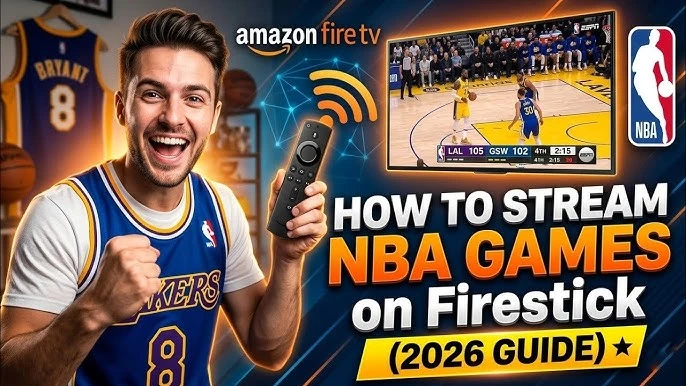
With the global demand for basketball constantly growing, fans now have multiple ways to follow the NBA season. Gone are the days when traditional cable television was the only way to catch tip-off. Today, viewers can choose from official streaming services, network applications, League Pass, and authorized IPTV services where applicable.
For many fans, IPTV (Internet Protocol Television) provides an incredibly convenient live-TV experience. However, a common misconception is that simply having an IPTV player automatically grants access to every game.
In reality, streaming live sports requires an authorized content source that legitimately carries the required channels. In this complete guide, we will break down exactly how to watch NBA games live in 2026, the technology behind IPTV streaming, and how to optimize your setup for the perfect game day.
Quick Answer: How Can You Watch NBA Games Live in 2026?
If you are looking for a fast setup to catch the next game, follow these steps:
- Choose an authorized source that legitimately carries the game you want to watch.
- Check whether the game is available in your specific region or if blackouts apply.
- Use a compatible IPTV service if it legitimately provides the relevant channel and content.
- Choose a compatible IPTV player to organize your streams.
- Use a suitable device (like a Smart TV, Firestick, or Android TV).
- Make sure your internet connection is stable, ideally using Ethernet.
- Test the stream before the game actually starts.
- Check EPG information and confirm the local tip-off time.
- Use HD/4K only when the source, device, and network support it.
- Have a backup authorized viewing option ready for highly important playoff games.
How to watch NBA games live in 2026 with IPTV
How Does IPTV Work for Live NBA Games?
Understanding how IPTV delivers a live game to your screen can help you troubleshoot any issues that arise. The basic chain of delivery works like this:
Authorized content source → IPTV service → IPTV credentials/playlist → IPTV player → Smart TV / Firestick / Android TV / phone / computer → live game
IPTV is simply a delivery technology. The IPTV player (the app on your TV) is just the software used to access and play the stream. The IPTV service itself determines what content is actually available.
It is important to understand that not every IPTV provider carries NBA content. You must ensure your chosen service has the legitimate rights to broadcast the required sports channels in your region.
Experience REALM IPTV
Upgrade your entertainment with ultra-stable, anti-freeze streaming. Access premium live channels, sports, and VOD on all your favorite devices.
Where Are NBA Games Broadcast in the 2026-27 Season?
The NBA's current broadcasting ecosystem in the United States relies on several major national partners. According to official viewing guides for the 2026-27 season, the national schedule is primarily split across:
- ABC
- ESPN
- NBC
- Peacock
- Prime Video
- NBA League Pass
The exact broadcaster depends entirely on the specific game, the day of the week, and whether it is a regular-season or playoff matchup.
Note: Do not assume these exact broadcast arrangements apply to every country. International viewing options vary widely by region.
NBA League Pass: What You Should Know
NBA League Pass is the NBA's official subscription streaming service. It provides access to live and on-demand NBA content, subject to strict blackout and broadcast restrictions.
Current official information states that League Pass can be watched through NBA.com, the official NBA App, and on supported devices including Android TV, Apple TV, Fire TV, and gaming consoles. It offers access to live games, full replays, different broadcast feeds, and multi-screen features on supported plans.
However, League Pass does not necessarily provide every single game live in every location. Local and nationally broadcast games are often subject to blackout restrictions, meaning you may need a standard TV provider to watch your local team.
Can You Watch NBA Games With IPTV?
Potentially yes, if the IPTV provider legitimately provides access to the channel or content carrying the game in your specific region.
The key issue is not simply whether a service uses "IPTV" technology. The important questions you must ask are:
- Does the service legitimately carry the required broadcaster (like ESPN or ABC)?
- Is the specific game available in your region?
- Does your subscription tier include that sports content?
- Are there local or national blackout restrictions?
- Is the service authorized to distribute the content?
No service can legally guarantee access to "every NBA game" without adhering to complex regional broadcast rights.
Watching NBA With RealmIPTV
RealmIPTV can be used with compatible IPTV players and devices for supported live-TV content. Availability of specific NBA games depends entirely on the channels and content included in your active subscription and the applicable broadcast rights in your area.
Our service supports industry-standard connections, allowing you to load your authorized playlist onto your preferred devices. If your plan includes sports networks that broadcast the NBA, you can seamlessly integrate those channels into your favorite IPTV player and utilize our comprehensive EPG to track game times.
Best IPTV Players for Watching NBA Games
Choosing the right software interface makes finding and watching games much easier. Here are the top best IPTV players to consider:
TiviMate
Considered the absolute best option for TV-focused Android TV and Fire TV setups. It handles multiple sports playlists effortlessly and offers a fantastic EPG layout.
IPTV Smarters Pro
A highly reliable, cross-platform option that is incredibly easy for beginners to navigate. It clearly separates Live TV from VOD.
GSE Smart IPTV
A highly useful application for users streaming games on compatible mobile and Apple platforms (iOS/Apple TV).
XCIPTV
A feature-rich alternative to TiviMate, highly useful for compatible Android and Fire TV setups.
The best player depends on your device, your preferred login format, and whether you need advanced features like multi-screen viewing.
 NBA IPTV streaming setup for Smart TV Firestick and Android TV
Best Devices for Watching NBA Games With IPTV
The hardware you use significantly impacts stream stability and video decoding.
| Device | Best For | Main Advantage |
|---|---|---|
| Smart TV | Home viewing | Large screen convenience |
| Firestick | Simple TV setup | Affordable, portable streaming device |
| Android TV | IPTV enthusiasts | Massive app flexibility |
| Smartphone | Watching anywhere | Total portability |
| Tablet | Mobile viewing | Larger screen than a phone |
| Computer | Flexible viewing | Large display and multitasking |
Smart TV
Offers the ultimate convenience for large-screen home viewing, though native IPTV apps can sometimes be limited depending on the TV brand. Check our Smart TV IPTV setup page for details.
Firestick / Fire TV
Provides easy TV integration and allows you to install top-tier apps like TiviMate easily. See our Firestick IPTV setup guide.
Android TV
The best overall choice for IPTV enthusiasts due to unmatched application compatibility and strong hardware decoding.
What Internet Speed Do You Need for Live NBA Streaming?
Live sports are incredibly sensitive to network instability. Unlike a Netflix movie that can buffer minutes of video in advance, a live IPTV stream requires a constant, uninterrupted flow of data.
While requirements vary, standard HD streaming generally requires a stable 15-25 Mbps connection. For high-bitrate Full HD or 4K streams, a rock-solid 30-50+ Mbps connection is recommended.
However, a fast connection can still buffer if:
- Your Wi-Fi signal is unstable or dropping packets
- The local network is congested by other users downloading files
- The source server is overloaded during a massive playoff game
- Your device struggles to decode the video feed
To optimize your network, review our comprehensive IPTV internet speed guide.
Can You Watch NBA Games in 4K?
4K availability depends on a complex chain of factors: the original broadcast, the IPTV service, your internet bandwidth, your device's decoding power, and your IPTV player.
A 4K-capable television does not automatically make an HD stream 4K. Furthermore, a 4K IPTV player does not create 4K content from an HD source. You should always verify the actual source resolution rather than trusting marketing labels. If a legitimate 4K stream is available, ensure your device is hardwired via Ethernet to handle the massive bandwidth requirement. Check out our IPTV 4K streaming guide for more technical details.
Use EPG to Find NBA Games Faster
An Electronic Program Guide (EPG) is essential for sports fans. A good IPTV EPG guide helps you instantly find game start times, competing teams, and the correct broadcast channel.
Common EPG problems to watch out for include incorrect time zones, missing listings, or delayed updates. Ensure your IPTV player's time zone settings match your local area so tip-off times are displayed accurately.
Why Streaming Stability Matters During NBA Games
Live sports streaming is entirely different from normal VOD streaming. If a movie buffers for 20 seconds, you simply wait and the movie resumes.
During a live NBA game, buffering can cause you to miss a crucial possession, a game-winning three-pointer, or an important timeout strategy. Worse, if your stream falls 30 seconds behind live time, you risk seeing spoilers on Twitter or getting texts from friends before you actually see the play happen. This is why testing your service stability is critical.
Experience REALM IPTV
Upgrade your entertainment with ultra-stable, anti-freeze streaming. Access premium live channels, sports, and VOD on all your favorite devices.
How to Test Your IPTV Setup Before an NBA Game
Do not wait until tip-off to turn on your TV. Follow this checklist 10–15 minutes before the game:
- Confirm the game time and channel.
- Check the EPG to ensure the broadcast is listed.
- Open the channel early to verify it is online.
- Test playback for stuttering or frame drops.
- Check audio/video synchronization.
- Test HD/4K streams if applicable to ensure your network handles the bitrate.
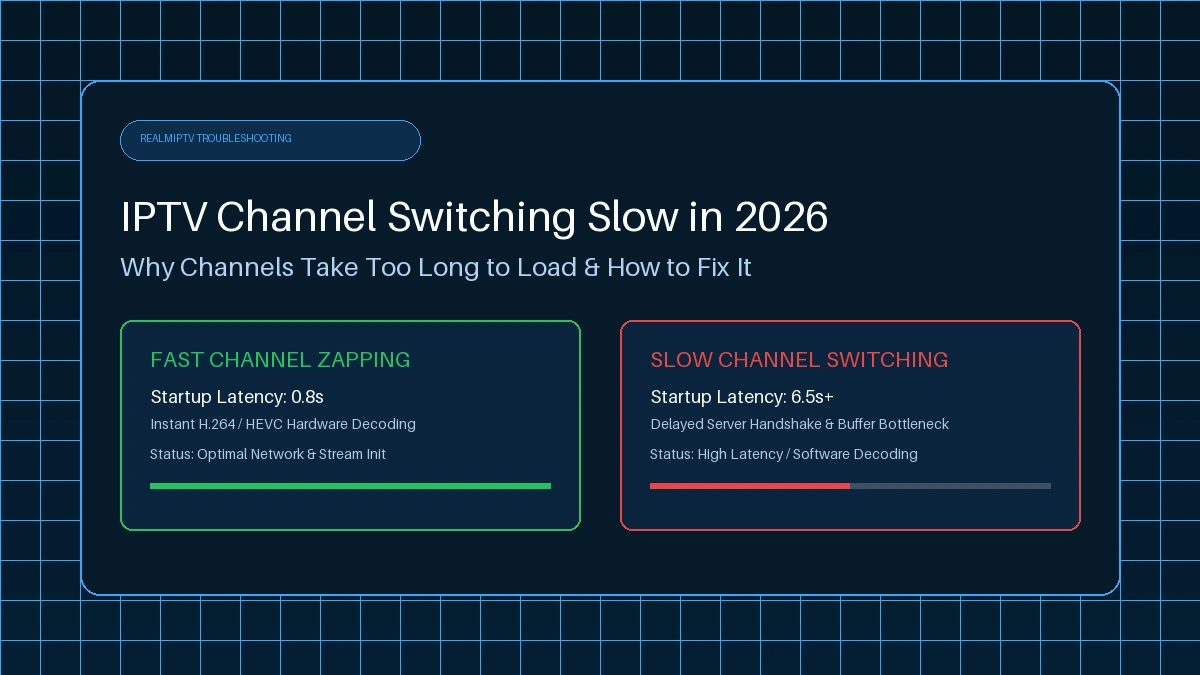
- Check how fast you can switch channels.
- Test your Wi-Fi or Ethernet connection speed.
- Close unnecessary bandwidth-heavy applications in your house.
- Keep a backup authorized viewing option ready just in case.
How to Fix NBA IPTV Buffering During a Live Game
If your stream starts freezing in the 4th quarter, try these quick fixes:
- Restart the player: Force close the app and clear the cache.
- Restart the router: A quick reboot can clear temporary network congestion.
- Use Ethernet if possible: Always hardwire your streaming device for live sports.
- Move closer to the Wi-Fi router: If Ethernet is impossible, reduce physical interference.
- Reduce other network traffic: Stop large downloads on other devices.
- Lower video quality if necessary: Switch from the 4K feed to a standard HD feed.
- Test another compatible player: Sometimes VLC or Smarters handles a specific stream better than TiviMate.
- Check whether the issue affects one channel or many: If only the NBA channel is buffering, the problem is likely source-side. If everything buffers, investigate your local network.
For a deeper dive into diagnostics, read our full IPTV buffering guide.
 How to improve NBA IPTV streaming quality and reduce buffering
How to Watch NBA Games on Smart TV With IPTV
- Verify your authorized RealmIPTV service subscription.
- Choose a compatible IPTV player (like IBO Player or Smart IPTV).
- Install the player from your TV's official app store.
- Enter your supported credentials or MAC address as instructed.
- Load the playlist.
- Open the sports category and find the relevant channel.
- Use the EPG to confirm the game time.
- Start the game.
How to Watch NBA Games on Firestick With IPTV
- Connect your Firestick to your TV and the internet.
- Install a compatible player (like TiviMate or XCIPTV) from an appropriate source.
- Enter your authorized IPTV credentials.
- Load your channels and navigate to the sports section.
- Use the EPG to locate your specific broadcast.
How to Watch NBA Games on Android TV With IPTV
Android TV is highly popular for IPTV due to its incredible application flexibility.
- Install a premium compatible player from the Google Play Store.
- Enter your credentials and load the playlist.
- Open the sports category.
- Use the EPG to find the game.
- Test the stream early to ensure hardware decoding is working smoothly.
Watching NBA Games Outside the United States
Broadcast availability changes drastically depending on your country, region, local broadcaster, and League Pass availability.
The NBA's official Tap to Watch system can direct viewers to available viewing options based on their specific game and location. Users outside the U.S. should always check their local authorized broadcaster or official NBA viewing options, as U.S. broadcast partners (like ABC or TNT) do not apply worldwide.
Why Can't I Watch a Certain NBA Game?
If a game is missing or blocked, the possible reasons include:
- Local blackout: Your local regional sports network has exclusive live rights.
- National broadcast exclusivity: A national network holds exclusive rights for that time slot.
- Regional rights: The game is not licensed for broadcast in your country.
- Subscription limitations: Your specific package does not include the required channel.
- Geographic availability: You are physically located outside the broadcast zone.
- EPG information is incorrect: The game is playing, but the guide is labeled wrong.
NBA League Pass explicitly states that local and nationally broadcast games can be unavailable live in certain markets due to these complex restrictions.
NBA Game-Day IPTV Checklist
Before you invite friends over for the playoffs, verify this simple checklist:
- ☐ Check game time
- ☐ Confirm the channel
- ☐ Check EPG
- ☐ Check internet connection
- ☐ Open the stream early
- ☐ Test audio
- ☐ Test video
- ☐ Check picture quality
- ☐ Keep your device updated
- ☐ Have an authorized backup option
Frequently Asked Questions
Final Thoughts: Watching NBA Games With IPTV in 2026
Setting up a flawless NBA streaming experience requires more than just downloading an app. A truly reliable setup requires a legitimate content source, a compatible IPTV buying guide approved service, a solid IPTV player, a capable device, and above all, a highly stable internet connection.
By understanding how EPGs work, optimizing your network to prevent buffering, and knowing exactly which broadcast networks carry the games in your region, you can enjoy a perfect, uninterrupted basketball season. Always verify the actual availability of a game in your region, and ensure your RealmIPTV setup is fully tested before tip-off.